Cognitive Ergonomics: Designing Interfaces for the Mind
Scientifically Reviewed · Dr. Marwa Abd-Alazim · September 23, 2026
Review Criteria & Clinical Standards
This content undergoes rigorous scientific peer-review and medical editorial standards at Arab Psychology Network to ensure clinical accuracy, validity, and compliance with evidence-based guidelines from leading psychological and healthcare authorities (APA / WHO).
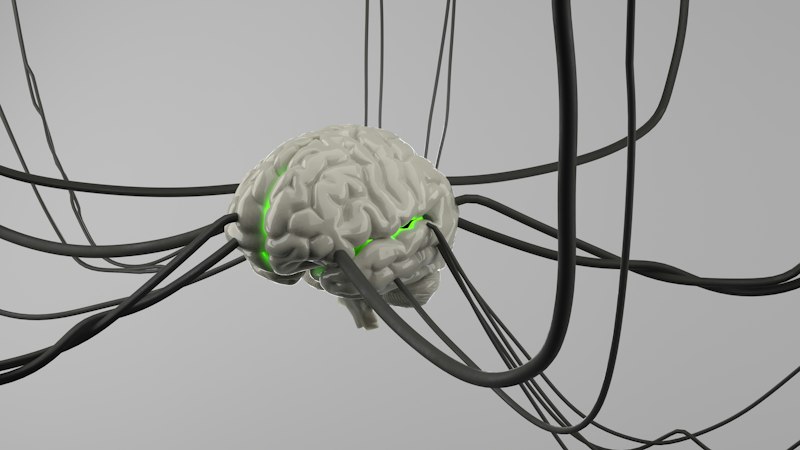
USER-FRIENDLY
The Historical Progression of Computing Accessibility
The trajectory of technological development throughout the 21st century has been characterized by an unprecedented and remarkable rate of advancement. To understand the current landscape of digital interaction, one must look back to the foundational era of the 1970s, which witnessed the introduction of the first personal computers. During this period, computing was largely the domain of specialists and hobbyists, requiring significant technical knowledge to operate systems that relied heavily on complex command-line interfaces. The transition from these early machines to the ubiquitous presence of modern technology represents a fundamental shift in how humans perceive and utilize digital tools.
As the timeline progressed into the 2000s, the introduction of smartphones and tablets revolutionized the industry once again, moving technology from the desk to the palm of the hand. This evolution was not merely a matter of hardware miniaturization but also a significant leap in user-friendly design. The shift toward mobile computing necessitated a rethink of how information is presented and manipulated, leading to the development of touch-sensitive interfaces and gesture-based navigation. These innovations ensured that technology became accessible to a broader demographic, regardless of their prior technical expertise or age.
The contemporary digital environment is now defined by its ubiquity and its seamless integration into daily life. From the early days of bulky desktop monitors to the sleek, interconnected devices of today, the primary driver of adoption has been the increasing ease with which a layperson can operate sophisticated machinery. This historical context provides a necessary framework for exploring how the concept of user-friendliness has moved from a secondary consideration to a primary requirement in the development of all successful hardware and software products.
Defining the Concept of User-Friendliness
The specific term user-friendly was first formally coined in the 1980s, a decade that served as a pivot point for the consumer electronics industry. At its core, the term describes a piece of technology that is inherently intuitive and requires minimal cognitive effort to operate. In the early 1980s, this was a radical departure from the status quo, as it suggested that the burden of understanding should lie with the machine rather than the human. This paradigm shift was essential for the commercialization of computers, transforming them from obscure scientific instruments into essential household appliances.
In modern discourse, the definition of user-friendliness has expanded to encompass the holistic design of a product, including both its physical hardware components and its virtual software environment. It refers to a design philosophy where every aspect of the item is meticulously tailored to the specific needs, limitations, and expectations of the end-user. This involves a deep understanding of human factors and ergonomics, ensuring that the physical interaction with a device—such as the weight of a tablet or the layout of a keyboard—complements the digital interaction within the operating system.
Furthermore, a user-friendly product is one that anticipates the user’s intent and provides a clear path toward their goal. This involves the use of familiar metaphors, such as the “desktop” or “folders,” which allow users to apply their real-world knowledge to a digital context. By aligning the system’s mental model with the user’s existing cognitive frameworks, developers can create products that feel natural and “invisible,” allowing the user to focus on their task rather than the tool itself. This level of tailoring is now considered an integral part of the development lifecycle for any modern computer technology.
The Integration of Aesthetics and Functional Utility
A primary focus of contemporary development is the creation of an interface that successfully balances aesthetic appeal with functional efficiency. It is a common misconception in design that beauty and utility are at odds; in reality, a user-friendly interface utilizes visual design to enhance functionality. High-quality visual elements, such as consistent color palettes, clear typography, and logical spacing, serve as signposts that guide the user’s eye to the most important information. When an interface is aesthetically pleasing, it can actually improve the user’s perceived ease of use, a phenomenon known in psychology as the aesthetic-usability effect.
Functional efficiency, on the other hand, relates to how quickly and accurately a user can complete a given task. A user-friendly design minimizes the number of steps required to reach a destination, effectively streamlining the workflow. This efficiency is achieved through the implementation of logical hierarchies and the removal of unnecessary visual “noise” that might distract the user. Developers must ensure that the most frequently used features are the most accessible, while more complex or infrequent settings are tucked away in a manner that does not clutter the primary workspace.
The synergy between these two elements—the visual and the practical—is what defines a truly successful interface. For example, the use of icons that are both visually distinct and metaphorically accurate allows for faster recognition than text-only menus. By focusing on creating a harmonious environment where form follows function, developers can ensure that the technology is not only a pleasure to look at but also a highly effective tool for productivity. This dual focus is a cornerstone of modern human-computer interaction research and practice.
Cognitive Efficiency and the Reduction of Learning Curves
One of the most significant benefits of user-friendly design is its ability to reduce the “learning curve” associated with new technology. In the early years of computing, mastering a new program often required extensive training and the study of thick manuals. Today, a well-designed interface allows users to navigate a product with almost no prior instruction. By making the navigation process self-explanatory, developers reduce the time and cognitive resources users must spend on learning the mechanics of the software, thereby allowing them to become proficient much faster.
This reduction in learning time is particularly crucial in professional environments where efficiency is tied directly to productivity. When a company adopts a new software suite that is user-friendly, the transition period for employees is minimized, leading to fewer disruptions in workflow. The psychological impact of a low learning threshold cannot be overstated; users are more likely to feel a sense of mastery and competence when they can figure out a system through exploration rather than rote memorization. This sense of agency is a key driver in the successful adoption of new technological tools.
To achieve this level of cognitive efficiency, designers often employ the following strategies:
- Consistency: Ensuring that similar actions always produce the same results across different parts of the application.
- Feedback: Providing immediate visual or auditory confirmation when a user performs an action, such as a button changing color when clicked.
- Error Prevention: Designing the system in a way that makes it difficult for users to make mistakes, and providing clear recovery paths if they do.
These strategies collectively ensure that the user feels supported by the system throughout their journey, leading to a more streamlined and less taxing experience.
Psychological Engagement and Emotional Design
Beyond the practicalities of navigation and efficiency, user-friendly design plays a vital role in fostering user engagement. Humans are naturally drawn to systems that are easy to interact with and provide positive reinforcement. When a product is designed with the user’s psychological needs in mind, it creates a sense of satisfaction that encourages repeated use. This is particularly important in the competitive landscape of software development, where user retention is a primary metric of success. People are far more likely to integrate a product into their daily lives if the interaction is smooth and rewarding.
Furthermore, user-friendly interfaces help to build trust between the user and the technology. When a system behaves predictably and responds promptly to inputs, the user feels a sense of security and control. Conversely, a confusing or “unfriendly” interface can lead to anxiety and a lack of confidence in the product’s reliability. By prioritizing a comfortable and accessible interface, developers ensure that users feel at ease, which in turn allows them to explore the full range of available features without the fear of breaking the system or becoming “lost” in the menus.
The mitigation of frustration is perhaps the most critical psychological benefit of user-friendly design. Frustration occurs when there is a disconnect between a user’s goal and their ability to achieve it using the provided tools. This emotional response can lead to “computer rage” or the complete abandonment of the product. By anticipating potential pain points and designing around them, developers can create a frictionless experience that maintains the user’s flow and keeps them focused on their creative or professional objectives. This emotional resonance is a hallmark of high-quality human-computer interaction.
The Discipline of Human-Computer Interaction (HCI)
The importance of user-friendly design has been widely acknowledged and formalized within the academic and professional field of human-computer interaction (HCI). This multidisciplinary field combines elements of computer science, cognitive psychology, and industrial design to study how people interact with computers and to what extent computers are developed for successful interaction with human beings. The primary goal of HCI is to create an environment where users can engage with computing technology in a way that feels as natural and intuitive as interacting with the physical world.
To achieve this goal, HCI researchers and practitioners employ a variety of scientific methods to understand the needs and preferences of diverse user groups. This often involves:
- User Research: Conducting interviews and surveys to identify the specific problems users are trying to solve.
- Usability Testing: Observing real users as they interact with prototypes to identify areas of confusion or difficulty.
- Iterative Design: Continuously refining the product based on user feedback until the interface meets the required standards of user-friendliness.
This rigorous approach ensures that design decisions are based on empirical evidence rather than the subjective preferences of the developers.
HCI professionals must take into account a vast array of factors, including cognitive load, motor skills, and even cultural differences, to design interfaces that accommodate a wide spectrum of users. By creating user-friendly designs, these specialists bridge the gap between human biology and digital logic. The result is technology that empowers the user, allowing them to make use of the full range of features without feeling overwhelmed by the underlying complexity of the system. The ongoing work in HCI continues to push the boundaries of what is possible in the realm of intuitive design.
Maximizing Feature Accessibility and User Empowerment
A common challenge in software development is the “feature creep” phenomenon, where a product becomes so packed with functionality that it becomes difficult to use. User-friendly design addresses this by ensuring that the full range of a product’s features is accessible without being overwhelming. It is not enough for a program to have powerful capabilities; those capabilities must be discoverable and easy to implement. A well-designed interface acts as a map, guiding the user to advanced features as they become ready for them, often through a process known as progressive disclosure.
When users are able to easily access and understand all the features of a product, they feel empowered. This empowerment leads to greater creativity and productivity, as the user is no longer limited by their technical understanding of the tool. For example, a user-friendly video editing suite allows a novice to perform basic cuts and transitions immediately, while still providing the depth required for a professional to perform complex color grading. The ability of a single interface to cater to both ends of the skill spectrum is a testament to the power of thoughtful, user-centric design.
Ultimately, the goal of accessibility in design is to ensure that no user is left behind. This includes considerations for users with disabilities, such as those who require screen readers or alternative input devices. A truly user-friendly product is one that is inclusive, providing an equitable experience for everyone regardless of their physical or cognitive abilities. By adhering to universal design principles, developers can ensure that their technology is a tool for empowerment for the largest possible audience, thereby fulfilling the core promise of the digital revolution.
Future Trajectories in Human-Computer Synergy
In conclusion, user-friendly design has evolved from a 1980s buzzword into an essential and non-negotiable component of modern computer technology development. By creating interfaces that are both aesthetically pleasing and functionally efficient, developers can ensure that users are able to access complex features without the risk of frustration or cognitive overload. The benefits of this approach are manifold, encompassing improved navigation, reduced learning times, and higher levels of user engagement. These elements are critical for the success of any technological product in an increasingly crowded market.
The field of human-computer interaction has been significantly enhanced by the ongoing commitment to user-friendly principles. As we look toward the future, it is likely that this trend will not only continue but will also expand into new frontiers such as virtual reality, augmented reality, and artificial intelligence. In these emerging fields, the need for intuitive interaction will be even more pronounced, as the boundaries between the physical and digital worlds continue to blur. The challenge for future developers will be to maintain simplicity and ease of use in the face of ever-increasing technological complexity.
As technology becomes more integrated into the human experience, the focus on the user will remain the most important factor in its development. The principles of user-friendliness—empathy for the user, clarity of purpose, and efficiency of action—will continue to guide the creation of tools that enhance our lives rather than complicate them. By prioritizing the human element in the machine, we ensure that technology remains a servant to our needs and a catalyst for our potential, a trend that has defined the last several decades and will undoubtedly shape the decades to come.
References
DeLorme, D. E., & Lassing, L. (2017). The importance of user-friendly design in human-computer interaction. International Journal of Human-Computer Interaction, 33(7), 565-578.
Gawronski, A., & Walczak, A. (2018). User-friendly design of user interfaces: Advances in the development of user-friendly applications. International Journal of Human-Computer Interaction, 34(4), 403-416.
Kazlauskas, A., & Kucinskas, K. (2018). Modern user-friendly design: Its importance, trends and implications. International Journal of Human-Computer Interaction, 34(2), 135-147.
Liao, C. (2016). User-friendly design: Its impact on the development of human-computer interaction. International Journal of Human-Computer Interaction, 32(2), 91-103.